
Rob Run Elite Cheats — Full ESP, Aimbot & Farm Suite
Elite tier is the full private suite—aimbot, no-recoil assist, player ESP, loot ESP, cash and loot farm helpers, cosmetic preview and priority EAC patch delivery for Windows PC.

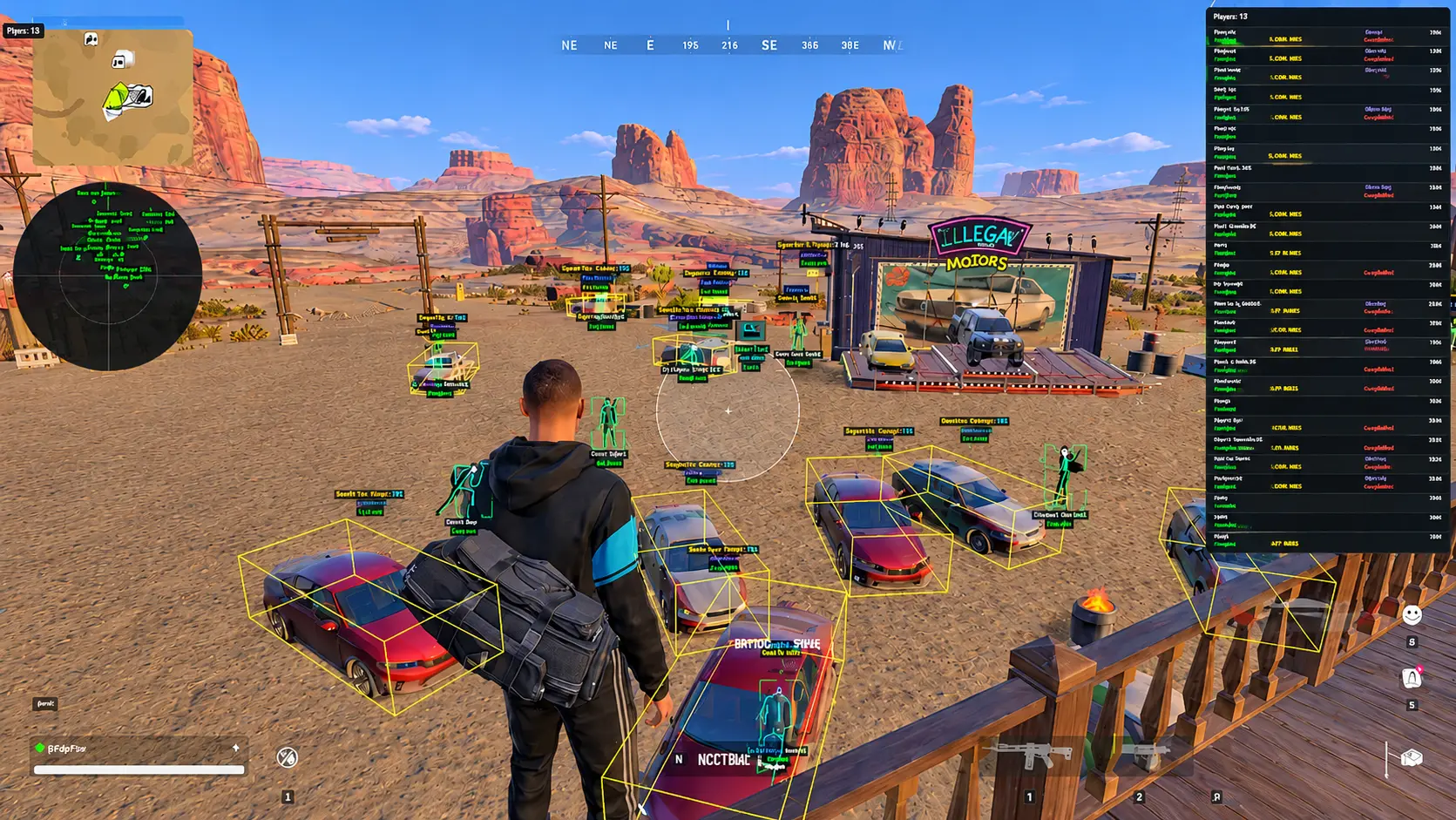
Combat ESP overlay — Readable boxes and tags stay useful mid-fight without cluttering your reticle.
At a glance
Elite Rob Run cheat capabilities
What Elite focuses on for Rob Run before you open the full module list.
Plus 42 additional modules in the operator portal—see the full list below.
Overview
Built around a full Rob Run operator workflow
How this Rob Run build fits PvP raids, loot runs, and extraction battles after major patches.
Elite tier is the top combat package—every Lite and Pro module plus loot ESP, cash ESP, safe ESP, container ESP, camera and alarm ESP, grenade trajectory helpers, battle mode ESP, instant loot reveal, cash and loot farm helpers, Cosmetic preview, and priority patch-day delivery.
Elite slots are limited so patch cycles stay fast and builds stay maintainable. Direct dev support in Discord helps you tune conservative profiles before joining loot raids battles. Check the status banner on buyrobruncheats.net before purchase.
Rob Run Elite is the private build for players who want everything—cash and loot farm helpers, combat assist, Cosmetic preview, full ESP suite and direct developer support. Limited slots keep the build maintainable and patch cycles fast.
Use Elite responsibly
Elite power demands disciplined profiles. Test on a private test session, start with portal conservative presets, and scale up over days—not minutes. Staff in Discord help Elite users tune before their first PvP, loot raids or extraction session.
Full bot and finish suite
cash and loot farm helpers, combat assist, Cosmetic preview and the full ESP suite with vehicle and objective alerts. Use a private test session or custom battle before live PvP, loot raids or extraction play—Elite power requires disciplined profiles, not rage settings.
Availability
Elite shows as limited slots on the status banner. Open a Discord ticket if checkout is gated—staff confirm slot availability before purchase.
Modules
What's included in Elite for Rob Run
Every Rob Run module and overlay shipped with Elite—toggle and tune in the operator portal.
- All Lite + Pro modules
- Loot ESP, cash ESP, safe & container ESP
- Camera ESP & alarm ESP markers
- Grenade ESP trajectory helper
- Battle mode ESP & instant loot reveal
- cash and loot farm helpers
- Objective & SL route pathing
- Auto pickup & reward tracker
- Combat assist
- Auto finish helper
- Full ESP suite
- Event & ticket alerts
- Police proximity detector
- Cosmetic preview (Unlock All)
- Priority patch queue
- Direct dev Discord support
- Elite conservative presets
- Cloud config backup
- Patch auto-updater
- Private slot access
Experience
In the client · After you buy
Use the screenshots above for Elite—below is what each layer means and how access works after checkout.
In-game layers
- Layer A
Combat ESP overlay
Readable boxes and tags stay useful mid-fight without cluttering your reticle.
- Layer B
Aimbot lead & player ESP
No-recoil control and long-range SMG/vehicle tags for urban PvP awareness.
- Layer C
Visuals menu
Tune player ESP boxes, names, distance caps and teammate filters in one Visuals tab.
- Layer D
Aimbot menu
Set aim keys, prediction, FOV size and smoothing without digging through nested panels.
- Layer E
Misc & stream-proof
Stream-proof, panic key, menu binds and cloud connection status in one Misc tab.
- Layer F
Street-level ESP
Track cops, robbers, and getaway routes before you commit to a push.
- Layer 7
Third-person tags
Name, role, and range labels on every threat in visual range.
- Layer 8
Radar & lead assist
Circular awareness and lead hints for SMG and vehicle fights.
- Layer 9
Full overlay stack
Combine ESP, FOV ring, and awareness tools without cluttering the reticle.
Guides
Rob Run buy guides for Elite
Curated Rob Run articles for setup, tuning, and patch-day checks that match this product.
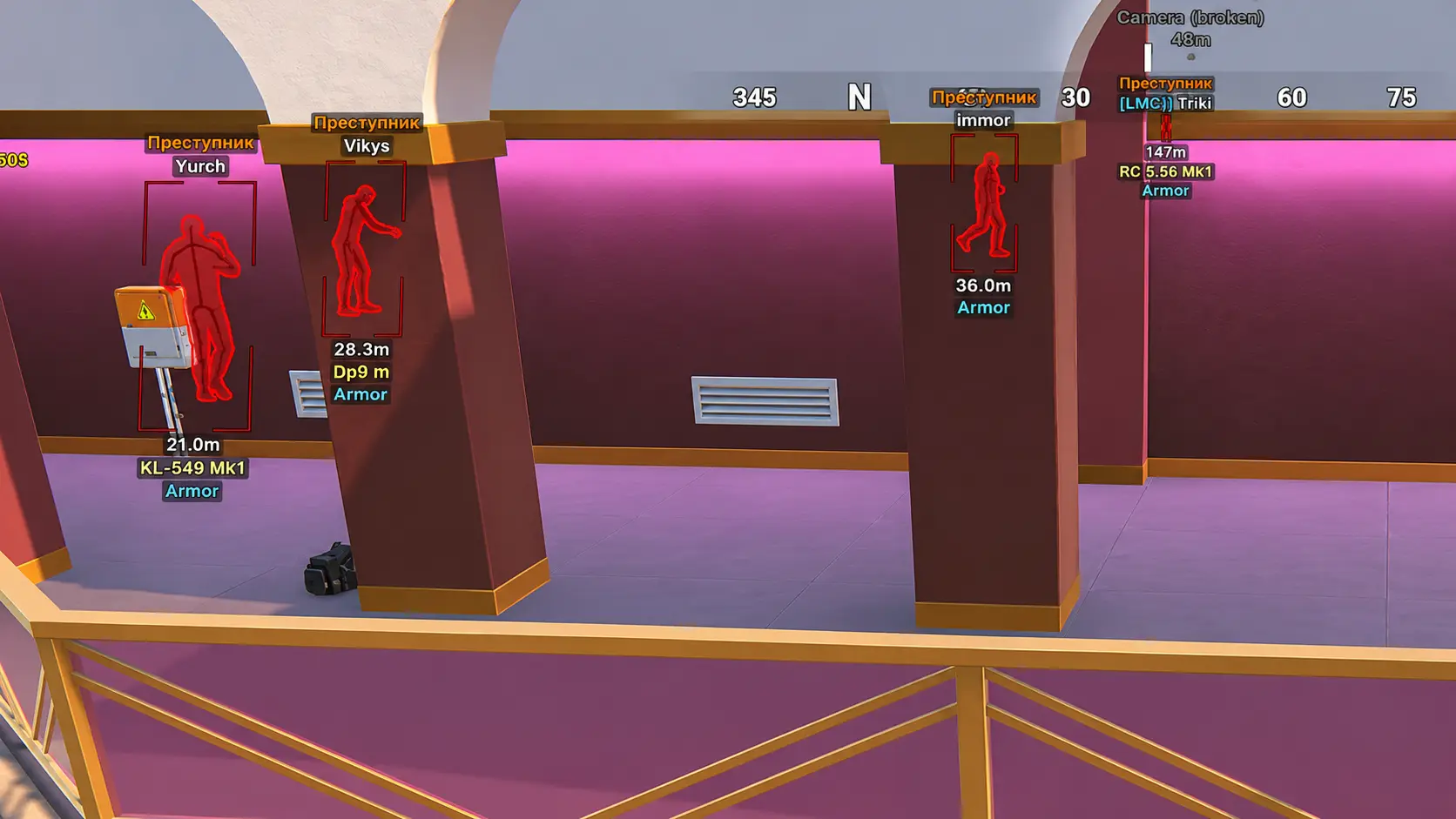
Rob Run Elite—cash ESP, safe ESP, base and house security ESP (camera and alarm), battle mode, instant loot reveal, silent aim stack, radar hack and farm helpers. Who should upgrade from Pro.
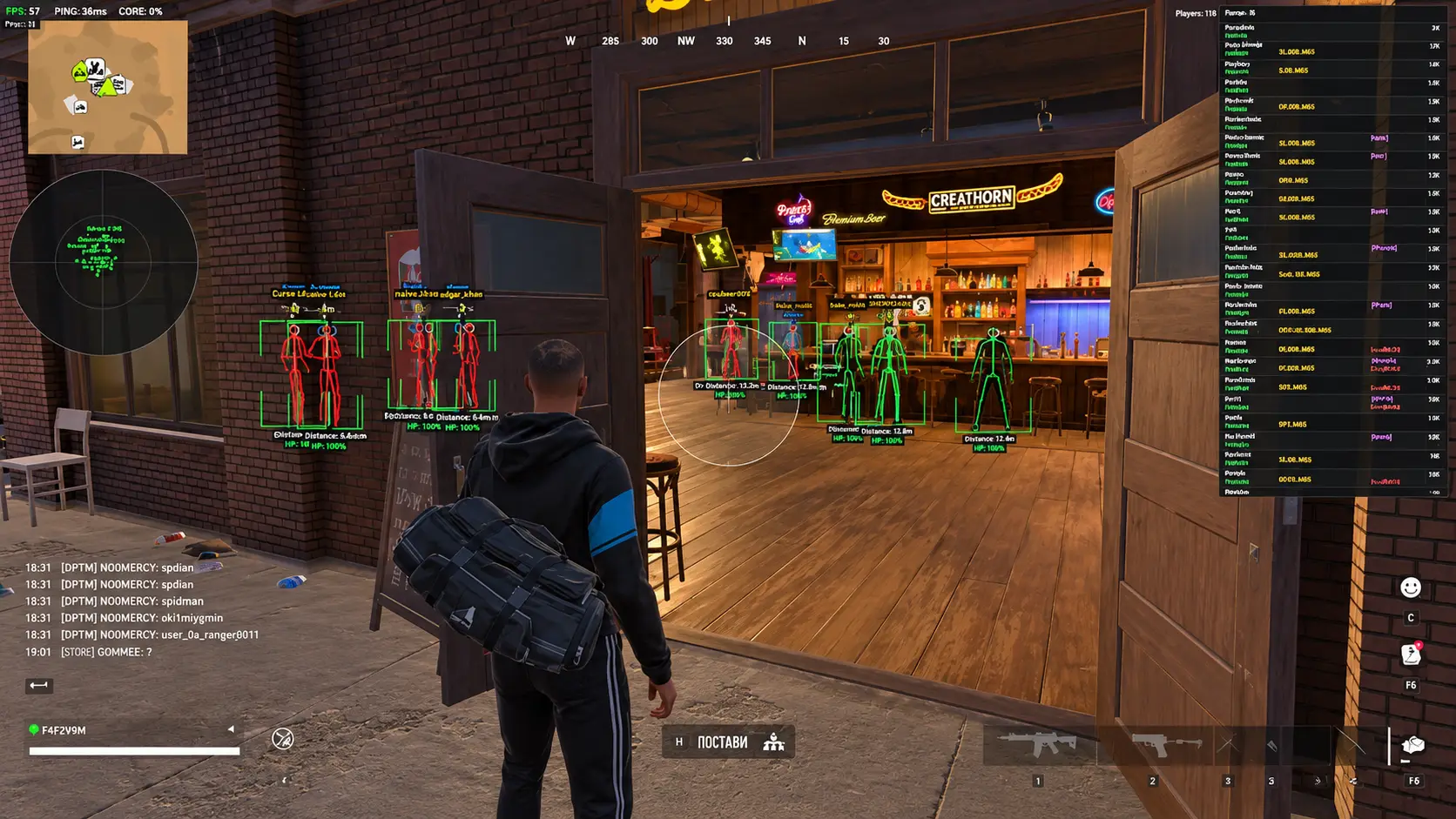
Rob Run cheats list 2026—silent aim, humanized aimbot, role ESP, skeleton ESP, loot ESP, cash ESP, camera and alarm ESP, battle mode, instant loot, radar hack, stream proof and external loader by Lite, Pro and Elite.
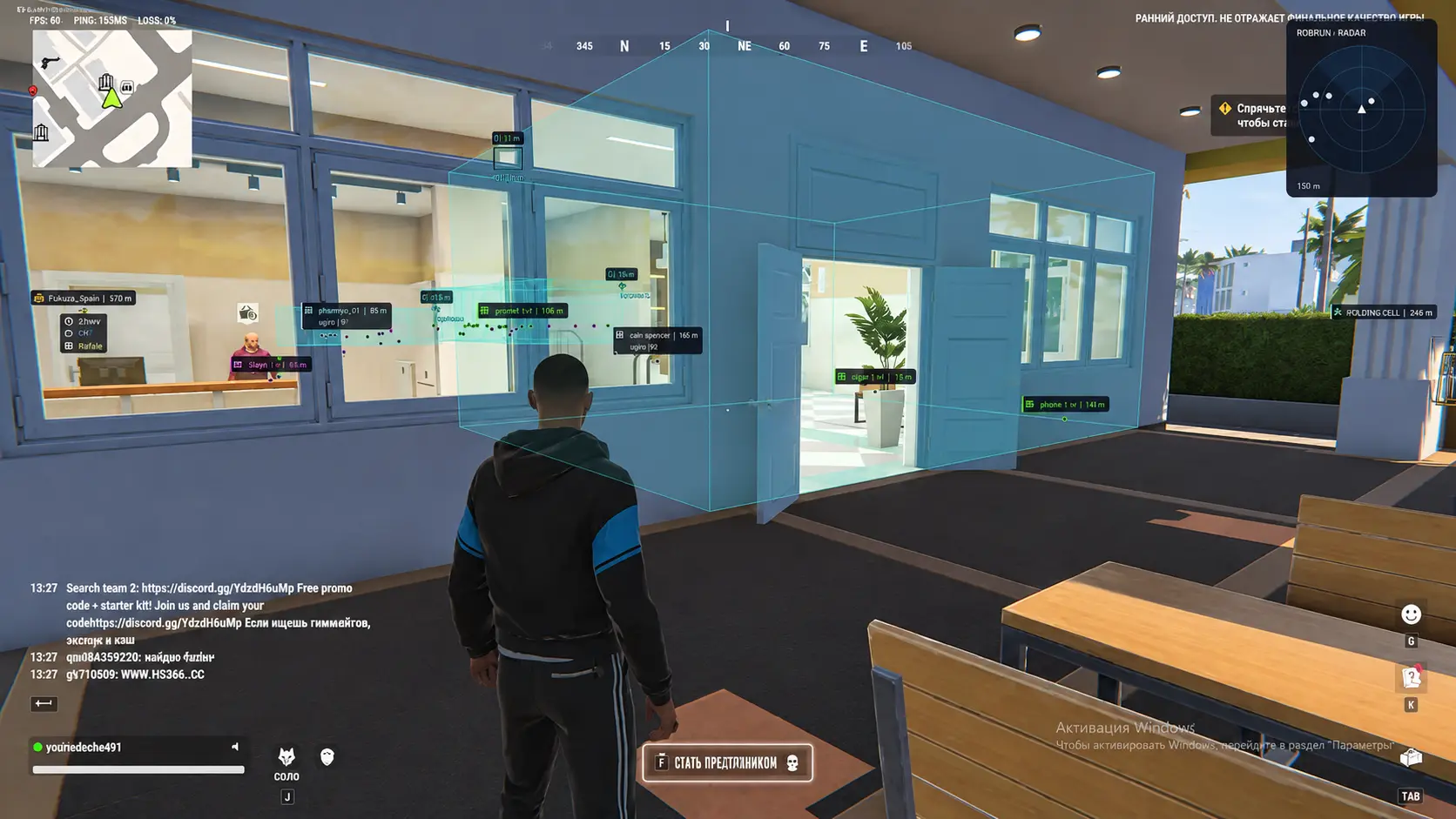
Rob Run Lite ESP and radar after purchase—player tags, loot ESP, radar overlay and stream-proof mode. Setup timeline and when to step up to Pro or Elite.
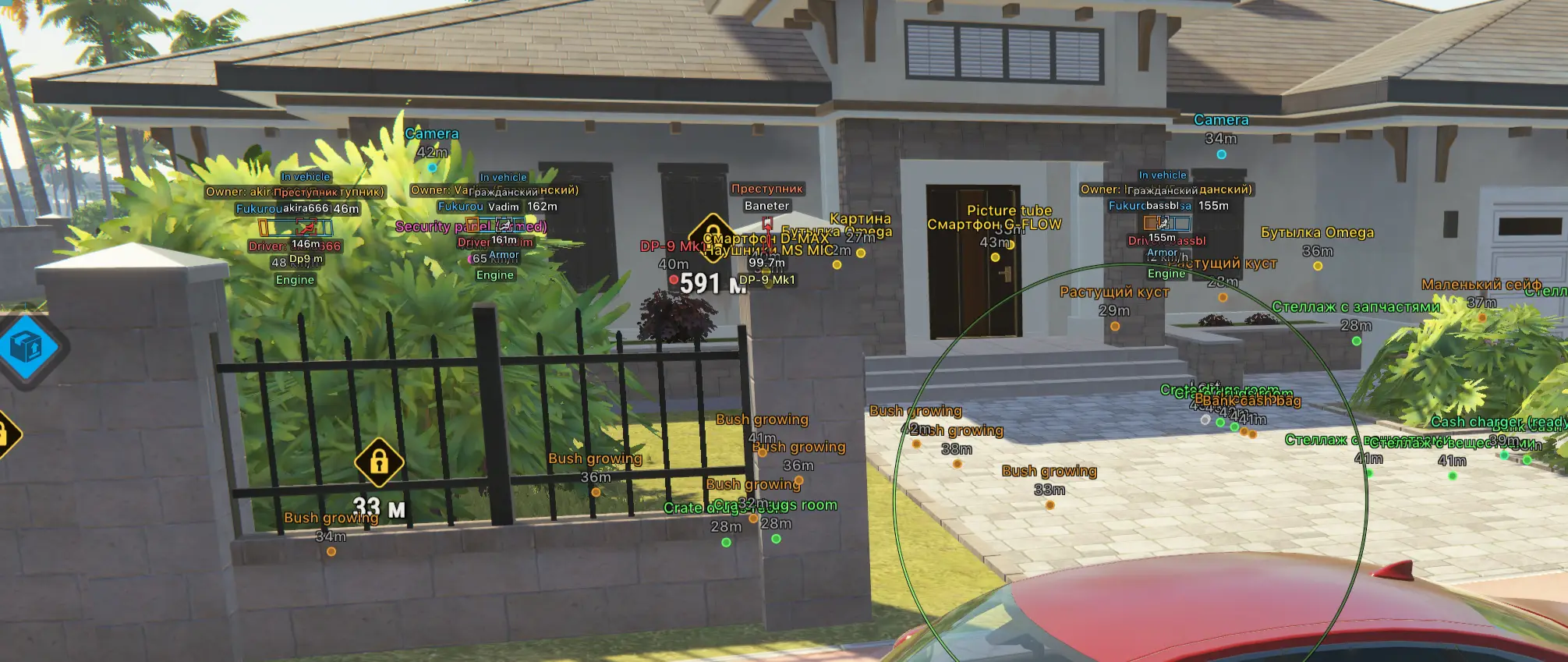
Rob Run patch-day checklist—status banner, loader version, conservative presets and when to delay checkout after Easy Anti-Cheat or game updates.
2026 Rob Run cheats buy guide—pick Lite, Pro or Elite, complete checkout, unlock the portal and launch with safe defaults. Step-by-step from tier to first match.
Rob Run admin console codes only work on servers you control. Learn what fails on live PvP and when a private loader with ESP and aimbot is the right buy.
FAQ
Questions about this page
Answers tied to what you are reading—visit the FAQ page for every topic.